Whether conducted online or onsite, instructor-led live training in 3D Graphics (also known as 3D Computer Graphics or Three-Dimensional Computer Graphics) illustrates, through interactive discussion and practical exercises, how to utilize 3D graphics for performing calculations and rendering 2D images.
3D Graphics training is offered in two formats: "online live training" or "onsite live training". Online live training (also referred to as "remote live training") is delivered via an interactive remote desktop. Onsite live training can be conducted locally at the customer’s premises in Nantes or at NobleProg corporate training centers in Nantes.
NobleProg -- Your Local Training Provider
Nantes, Zenith
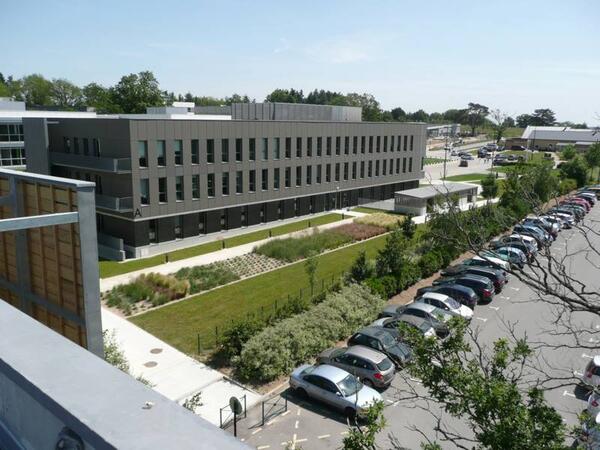
NobleProg Nantes, 4 rue Edith Piaf, Saint-Herblain, france, 44821
In the Parc d'Ar Mor zone, near the Zénith.
Car : from the ring road, Porte de Chézine Exit> Boulevard du Zenith > Esplanade Georges Brassens (restaurants) > Rue Edith Piaf on the right. From the N444 road (Nantes > Lorient), Exit #1 > boulevard Marcel Paul > Rue Edith Piaf at the right.
Parking Zénith P1 (free). Once parked, you can recognize the building: it's one of the tree bulding with zinc frontage.
Bicycle: free indoor parking
Public transport :
Tramway R1, Schoelcher station + 10 mn by foot through commercial center Atlantis
Tramway R1, François Mitterrand stop + bus 50, stop at Saulzaie station or bus 71, stop at the Zénith station
Tramway R3, Marcel Paul station + bus 50, Saulzaie station
Chronobus C6, Hermeland station+ bus 71, Zénith station
Bus : lignes 50 (Saulzaie station) or 71 (Zénith station)
This instructor-led, live training in Nantes (online or onsite) is designed for artists, game developers, or complete beginners who want to use Blender to create 3D models for interactive applications, video games, animated films, and more.
By the end of this training, participants will be able to:
Learn how to create animations and visual effects with Blender.
Add curves, surfaces, metaballs, and hair particles to simulate realistic 3D motions.
Understand the principles of non-destructive modelling and animation.
Export 3D models and assets to a game engine, 3D printer, or other software.
This instructor-led live training in Nantes (online or on-site) is designed for artists, game developers, and complete beginners who wish to use Blender to create 3D models for interactive applications, video games, animated films, and more.
By the end of this training, participants will be able to:
Grasp the principles and core concepts of 3D modeling.
Explore various modes and tools for modeling and editing 3D meshes.
Utilize tools for UV mapping/unwrapping, sculpting, and painting, as well as rendering 3D models.
Psdto3D101 is a specialized software tool designed for creating lenticular files with 3D effects, flip, morph, and motion designs. This course provides participants with the knowledge and practical skills to manage and apply Psdto3D101 for producing professional lenticular outputs, covering both management and creative aspects of the software.
This instructor-led, live training (online or onsite) is aimed at beginner-level to intermediate-level graphic and print professionals who wish to create, manage, and optimize lenticular files using Psdto3D101 software.
By the end of this training, participants will be able to:
Grasp the fundamental concepts behind lenticular printing and design.
Navigate through and configure Psdto3D101 for various project requirements.
Generate 3D, flip, and motion effects by utilizing layers and sequences effectively.
Export and ready lenticular files for high-quality professional printing.
Course Format
Interactive lectures paired with group discussions.
Hands-on practice exercises utilizing the Psdto3D101 software.
Practical implementation within a live-lab environment.
Customization Options for the Course
To arrange personalized training for this course, please reach out to us directly.
This instructor-led, live training in Nantes (online or onsite) is aimed at artists, game developers, or complete beginners who wish to use Blender to create 3D models for interactive applications, video games, animated films, etc.
By the end of this training, participants will be able to:
Understand the principles and core concepts of 3D modeling.
Explore a variety of modes and tools for modeling and editing 3D meshes.
Learn how to create animations and visual effects with Blender.
Add curves, surfaces, metaballs, and hair particles to simulate realistic 3D motions.
Use the tools for UV mapping/unwrapping, sculpting, and painting 3D models.
Export 3D models and assets to a game engine, 3D printer, or other software.
This instructor-led, live training in Nantes (online or onsite) is aimed at beginner-level to advanced-level 3D design and 3D printing enthusiasts who wish to use Fusion 360 to design, simulate, and prepare models for 3D printing.
By the end of this training, participants will be able to:
Install and configure Fusion 360 for optimal performance.
Design, model, and simulate 3D objects in a unified environment.
Optimize and prepare designs for the 3D printing process.
Collaborate and share their designs using Fusion 360's cloud capabilities.
FreeCAD is an open-source, customizable, multi-platform, scriptable and extensible parametric 3D modeler for designing real-life objects.
In this instructor-led, live training, participants will learn how to model an object for later construction or 3D printing.
By the end of this training, participants will be able to:
Use FreeCAD's tools and workflows to replace commercial CAD or BIM modeling software
Write to many formats such as STEP, IGES, STL, SVG, DXF, OBJ, IFC, DAE, etc.
Use Python to extend FreeCAD's functionality
Automate FreeCAD, build modules and embed FreeCAD into an existing application
Audience
Designers
Developers
Mechanical engineers
Format of the course
Part lecture, part discussion, exercises and heavy hands-on practice
Read more...
Last Updated:
Testimonials (1)
the point that Huba took the time to sit with me as the lesser knowledgeable of the application and go through each part and explain where i had gone wrong and how to correct the issue
Online Three-Dimensional Graphics training in Nantes, 3D Graphics training courses in Nantes, Weekend 3D Computer Graphics courses in Nantes, Evening 3D Computer Graphics training in Nantes, 3D Graphics instructor-led in Nantes, 3D Computer Graphics trainer in Nantes, Three-Dimensional Computer Graphics coaching in Nantes, 3D Computer Graphics classes in Nantes, Three-Dimensional Graphics instructor-led in Nantes, 3D Computer Graphics instructor in Nantes, Online Three-Dimensional Graphics training in Nantes, 3D Computer Graphics one on one training in Nantes, 3D Computer Graphics private courses in Nantes, Three-Dimensional Graphics on-site in Nantes, Three-Dimensional Graphics boot camp in Nantes, Evening Three-Dimensional Graphics courses in Nantes, Weekend 3D Graphics training in Nantes