Whether delivered online or onsite, these instructor-led live Computer Graphics training courses guide you through the core principles of Computer Graphics via interactive discussions and hands-on exercises.
Computer Graphics instruction is offered in two formats: "online live training" and "onsite live training." Online live sessions, also known as "remote live training," are conducted through an interactive, remote desktop. Onsite live training can be arranged locally at customer premises in Lyon or within NobleProg corporate training centers located in Lyon.
NobleProg -- Your Local Training Provider
Lyon, Swisslife Tower
NobleProg Lyon, 10 Place Charles Béraudier, Lyon, france, 69000
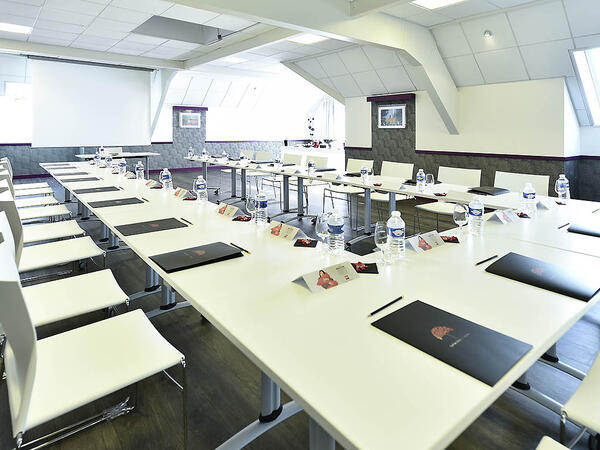
Located 200 meters far from the train station TGV, Swisslife Tower is today the most representative building of this quarter of Lyon. The Business Center offers you a perfect location for your training.
Gares TGV
100meters from Gare TGV Part-Dieu , porte du Rhône Exit
Aéroport
30 minutes from Lyon Saint Exupéry (Satolas)
Rhône Express from Saint Exupéry airport (Terminus Gare part-Dieu)
This instructor-led training in Lyon supports intermediate AI engineers in constructing and optimizing neural network models using the Huawei Ascend platform and CANN toolkit. Attendees will set up environments, build applications with MindSpore, and deploy to edge or cloud configurations.
This instructor-led live session in Lyon delves into Huawei’s AI architecture, tracing the path from the CANN SDK to the MindSpore framework. It is tailored to assist beginner and intermediate professionals in understanding how these components work in tandem on Ascend hardware to streamline lifecycle management and deployment.
This instructor-led, live training in Lyon (online or onsite) is aimed at beginner-level to intermediate-level developers who wish to use OpenACC to program heterogeneous devices and exploit their parallelism.
By the end of this training, participants will be able to:
Set up an OpenACC development environment.
Write and run a basic OpenACC program.
Annotate code with OpenACC directives and clauses.
This instructor-led training in Lyon focuses on deploying and optimizing CV and NLP models using the CANN SDK for Ascend hardware. Participants will learn to convert models, integrate them into live pipelines, and improve inference performance for real-time detection and analysis.
This instructor-led, live training in Lyon (online or onsite) is aimed at beginner-level to intermediate-level developers who wish to learn the basics of GPU programming and the main frameworks and tools for developing GPU applications.
By the end of this training, participants will be able to: Understand the difference between CPU and GPU computing and the benefits and challenges of GPU programming.
Choose the right framework and tool for their GPU application.
Create a basic GPU program that performs vector addition using one or more of the frameworks and tools.
Use the respective APIs, languages, and libraries to query device information, allocate and deallocate device memory, copy data between host and device, launch kernels, and synchronize threads.
Use the respective memory spaces, such as global, local, constant, and private, to optimize data transfers and memory accesses.
Use the respective execution models, such as work-items, work-groups, threads, blocks, and grids, to control the parallelism.
Debug and test GPU programs using tools such as CodeXL, CUDA-GDB, CUDA-MEMCHECK, and NVIDIA Nsight.
Optimize GPU programs using techniques such as coalescing, caching, prefetching, and profiling.
This live, instructor-led training in Lyon empowers advanced developers to construct, deploy, and optimize custom AI operators. By mastering the integration of CANN TIK and Apache TVM, participants gain the ability to perform advanced scheduling and optimization on Huawei Ascend hardware, ensuring peak performance in real-world scenarios.
This instructor-led live training in Lyon (available online or onsite) targets beginner to intermediate developers who want to explore different GPU programming frameworks and assess their features, performance, and compatibility.
After this training, participants will be able to:
Configure a development environment that includes the OpenCL SDK, CUDA Toolkit, ROCm Platform, compatible hardware, and Visual Studio Code.
Build a basic GPU program for vector addition using OpenCL, CUDA, and ROCm, and analyze the differences in syntax, structure, and execution.
Use the respective APIs to query device details, manage memory allocation/deallocation, transfer data between host and device, launch kernels, and synchronize threads.
Write device-side kernels using the native languages of each framework to manipulate data.
Utilize framework-specific built-in functions, variables, and libraries for common tasks.
Optimize data transfers and memory access by using specific memory spaces (global, local, constant, private).
Control parallelism by managing threads, blocks, and grids via specific execution models.
Debug and test GPU programs using tools like CodeXL, CUDA-GDB, CUDA-MEMCHECK, and NVIDIA Nsight.
Improve performance through optimization techniques such as coalescing, caching, prefetching, and profiling.
This instructor-led course on Lyon provides an introduction to CloudMatrix for scalable AI inference. Participants will learn to deploy, optimize, and monitor models utilizing CANN and MindSpore. Practical exercises cover packaging, conversion, serving, and performance tuning for both real-time and batch workloads.
This instructor-led, live training in Lyon (online or onsite) is designed for artists, game developers, or complete beginners who want to use Blender to create 3D models for interactive applications, video games, animated films, and more.
By the end of this training, participants will be able to:
Learn how to create animations and visual effects with Blender.
Add curves, surfaces, metaballs, and hair particles to simulate realistic 3D motions.
Understand the principles of non-destructive modelling and animation.
Export 3D models and assets to a game engine, 3D printer, or other software.
This live, instructor-led session in Lyon delves into the fundamental principles and practical aspects of deploying AI models on Ascend edge devices via the CANN toolkit, enabling participants to develop essential skills in compiling, optimizing, and managing resource-constrained environments.
This instructor-led live training in Lyon (online or onsite) is designed for beginner to intermediate developers who wish to install and use ROCm on Windows to program AMD GPUs and exploit their parallelism.
By the end of this training, participants will be able to:
Set up a development environment that includes ROCm Platform, a AMD GPU, and Visual Studio Code on Windows.
Create a basic ROCm program that performs vector addition on the GPU and retrieves the results from the GPU memory.
Use ROCm API to query device information, allocate and deallocate device memory, copy data between host and device, launch kernels, and synchronize threads.
Use HIP language to write kernels that execute on the GPU and manipulate data.
Use HIP built-in functions, variables, and libraries to perform common tasks and operations.
Use ROCm and HIP memory spaces, such as global, shared, constant, and local, to optimize data transfers and memory accesses.
Use ROCm and HIP execution models to control the threads, blocks, and grids that define the parallelism.
Debug and test ROCm and HIP programs using tools such as ROCm Debugger and ROCm Profiler.
Optimize ROCm and HIP programs using techniques such as coalescing, caching, prefetching, and profiling.
This instructor-led, live training in Lyon (online or onsite) is aimed at beginner-level to intermediate-level developers who wish to use ROCm and HIP to program AMD GPUs and exploit their parallelism.
By the end of this training, participants will be able to:
Set up a development environment that includes ROCm Platform, a AMD GPU, and Visual Studio Code.
Create a basic ROCm program that performs vector addition on the GPU and retrieves the results from the GPU memory.
Use ROCm API to query device information, allocate and deallocate device memory, copy data between host and device, launch kernels, and synchronize threads.
Use HIP language to write kernels that execute on the GPU and manipulate data.
Use HIP built-in functions, variables, and libraries to perform common tasks and operations.
Use ROCm and HIP memory spaces, such as global, shared, constant, and local, to optimize data transfers and memory accesses.
Use ROCm and HIP execution models to control the threads, blocks, and grids that define the parallelism.
Debug and test ROCm and HIP programs using tools such as ROCm Debugger and ROCm Profiler.
Optimize ROCm and HIP programs using techniques such as coalescing, caching, prefetching, and profiling.
This instructor-led live training in Lyon (online or on-site) is designed for artists, game developers, and complete beginners who wish to use Blender to create 3D models for interactive applications, video games, animated films, and more.
By the end of this training, participants will be able to:
Grasp the principles and core concepts of 3D modeling.
Explore various modes and tools for modeling and editing 3D meshes.
Utilize tools for UV mapping/unwrapping, sculpting, and painting, as well as rendering 3D models.
This live training in Lyon provides an introduction to the CANN toolkit for AI framework developers. Participants will learn to configure environments, convert models, and deploy applications on Ascend hardware using MindSpore, TensorFlow, or PyTorch, covering the entire workflow from training to inference.
Enhance AI workloads on Ascend, Biren, and Cambricon through this hands-on training in Lyon. Master model benchmarking, bottleneck identification, and the application of graph, kernel, and operator-level optimizations. Optimize deployment pipelines to boost throughput and latency across these premier platforms.
This instructor-led, live training in Lyon (online or onsite) targets beginner to intermediate graphic designers and animators who wish to learn how to produce stunning animations, interactive media, and engaging web content using Adobe Animate.
By the conclusion of this training, participants will be able to:
Navigate the Adobe Animate interface and tools.
Create and edit animations using keyframes, motion tweens, and shape tweens.
Design interactive animations and applications with ActionScript and JavaScript.
Incorporate audio and video elements into projects.
Export animations for web, video, and mobile platforms.
Boost neural network inference performance on Ascend AI processors through this advanced, instructor-led training in Lyon. Dive into CANN's runtime architecture, utilizing the Graph Engine, TIK, and TVM to master profiling, custom operator development, and resolving memory bottlenecks.
Transition CUDA applications to Chinese GPU architectures such as Huawei Ascend and Biren in Lyon. This instructor-led course assists advanced programmers in navigating code translation and performance optimization, featuring hands-on labs for porting CUDA codebases to new SDKs.
This instructor-led live training in Lyon, available either online or onsite, is tailored for developers from beginner to intermediate levels who wish to program NVIDIA GPUs using CUDA and leverage their parallel capabilities.
By the end of this training, participants will be able to:
Establish a development environment equipped with the CUDA Toolkit, an NVIDIA GPU, and Visual Studio Code.
Construct a basic CUDA program that performs vector addition on the GPU and retrieves the outcomes from GPU memory.
Utilize the CUDA API to query device details, manage memory allocation and deallocation, copy data between host and device, launch kernels, and synchronize threads.
Write kernels using the CUDA C/C++ language that execute on the GPU and manipulate data.
Use CUDA built-in functions, variables, and libraries to carry out standard tasks and operations.
Optimize data transfer and memory access by utilizing CUDA memory spaces such as global, shared, constant, and local.
Control the parallelism structure by using the CUDA execution model to manage threads, blocks, and grids.
Debug and test CUDA programs employing tools like CUDA-GDB, CUDA-MEMCHECK, and NVIDIA Nsight.
Optimize CUDA program performance using techniques such as coalescing, caching, prefetching, and profiling.
This instructor-led, live training in Lyon covers the fundamentals of Psdto3D101 for lenticular design. Participants will learn to create 3D, flip, morph, and motion effects, optimizing files for professional printing through interactive lectures and hands-on practical exercises.
This live training in Lyon guides intermediate AI developers through deploying models on Ascend processors using the CANN toolkit. Learn to convert frameworks like PyTorch and TensorFlow, optimize performance, and debug issues for efficient edge and cloud inference scenarios.
This live training in Lyon empowers developers with the expertise to program and optimize applications on Biren AI accelerators. Participants will explore the GPU architecture, configure the SDK, and translate CUDA code to Biren. The course emphasizes performance tuning and debugging methodologies.
This instructor-led, live training in Lyon (online or onsite) is aimed at artists, game developers, or complete beginners who wish to use Blender to create 3D models for interactive applications, video games, animated films, etc.
By the end of this training, participants will be able to:
Understand the principles and core concepts of 3D modeling.
Explore a variety of modes and tools for modeling and editing 3D meshes.
Learn how to create animations and visual effects with Blender.
Add curves, surfaces, metaballs, and hair particles to simulate realistic 3D motions.
Use the tools for UV mapping/unwrapping, sculpting, and painting 3D models.
Export 3D models and assets to a game engine, 3D printer, or other software.
This live, instructor-led program in Lyon empowers developers to build and deploy AI models on Cambricon MLUs via BANGPy and Neuware. The curriculum covers environment configuration, model optimization, and integrating MLU acceleration into edge and data center solutions.
This instructor-led, live training in Lyon (online or onsite) is designed for beginner-level system administrators and IT professionals who want to install, configure, manage, and troubleshoot CUDA environments.
By the end of this training, participants will be able to:
Comprehend the architecture, components, and capabilities of CUDA.
This instructor-led live training in Lyon (delivered online or onsite) is designed for beginner to intermediate-level developers who intend to use OpenCL to program heterogeneous devices and leverage their parallelism.
By the end of this training, participants will be able to:
Set up a development environment that includes the OpenCL SDK, an OpenCL-compatible device, and Visual Studio Code.
Build a basic OpenCL program that executes vector addition on the device and retrieves the results from device memory.
Utilize the OpenCL API to query device information and create contexts, command queues, buffers, kernels, and events.
Use the OpenCL C language to write kernels that execute on the device and manipulate data.
Employ OpenCL built-in functions, extensions, and libraries to perform common tasks and operations.
Apply OpenCL host and device memory models to optimize data transfers and memory accesses.
Use the OpenCL execution model to control work-items, work-groups, and ND-ranges.
Debug and test OpenCL programs using tools such as CodeXL, Intel VTune, and NVIDIA Nsight.
Optimize OpenCL programs using techniques such as vectorization, loop unrolling, local memory, and profiling.
This instructor-led, live training in Lyon (online or onsite) is aimed at beginner-level to advanced-level 3D design and 3D printing enthusiasts who wish to use Fusion 360 to design, simulate, and prepare models for 3D printing.
By the end of this training, participants will be able to:
Install and configure Fusion 360 for optimal performance.
Design, model, and simulate 3D objects in a unified environment.
Optimize and prepare designs for the 3D printing process.
Collaborate and share their designs using Fusion 360's cloud capabilities.
This instructor-led live training in Lyon (online or onsite) targets C++ developers who want to use CUDA to accelerate applications, write high-performance GPU kernels, and leverage parallel algorithm libraries for scientific computing, data processing, and machine learning workloads.
This live, instructor-led training in Lyon (online or onsite) is tailored for C/C++ developers who want to use CUDA to accelerate compute-intensive applications, such as data processing, scientific simulations, machine learning tasks, and image processing workflows.
This instructor-led, live training in Lyon (online or onsite) is tailored for software developers, data analysts, and technical professionals who wish to use TensorFlow 2.x and Keras to build, train, and deploy deep learning models for computer vision, natural language processing, and multimodal applications.
Participate in this practical training in Lyon to gain proficiency in FreeCAD, an open-source parametric 3D modeller. You will learn to design real-world objects for construction or 3D printing, export to various formats such as STEP and STL, and streamline workflows using Python. This course is ideal for designers and engineers.
This instructor-led, live training course in Lyon covers how to program GPUs for parallel computing, how to use various platforms, how to work with the CUDA platform and its features, and how to perform various optimization techniques using CUDA. Some of the applications include deep learning, analytics, image processing and engineering applications.
Read more...
Last Updated:
Testimonials (2)
the point that Huba took the time to sit with me as the lesser knowledgeable of the application and go through each part and explain where i had gone wrong and how to correct the issue
Paul - Nottinghamshire Police
Course - Blender: 3D Modeling Fundamentals
Trainers energy and humor.
Tadeusz Kaluba - Nokia Solutions and Networks Sp. z o.o.
Online Computer Graphics training in Lyon, Computer Graphics training courses in Lyon, Weekend Computer Graphics courses in Lyon, Evening Computer Graphics training in Lyon, Computer Graphics instructor-led in Lyon, Computer Graphics classes in Lyon, Computer Graphics private courses in Lyon, Weekend Computer Graphics training in Lyon, Computer Graphics instructor-led in Lyon, Computer Graphics one on one training in Lyon, Computer Graphics on-site in Lyon, Evening Computer Graphics courses in Lyon, Computer Graphics instructor in Lyon, Online Computer Graphics training in Lyon, Computer Graphics boot camp in Lyon, Computer Graphics trainer in Lyon, Computer Graphics coaching in Lyon