Delivered either online or on-site, our instructor-led live GPU (Graphics Processing Unit) courses combine interactive discussions with hands-on exercises to explore the core principles of GPU technology and the techniques required for effective GPU programming.
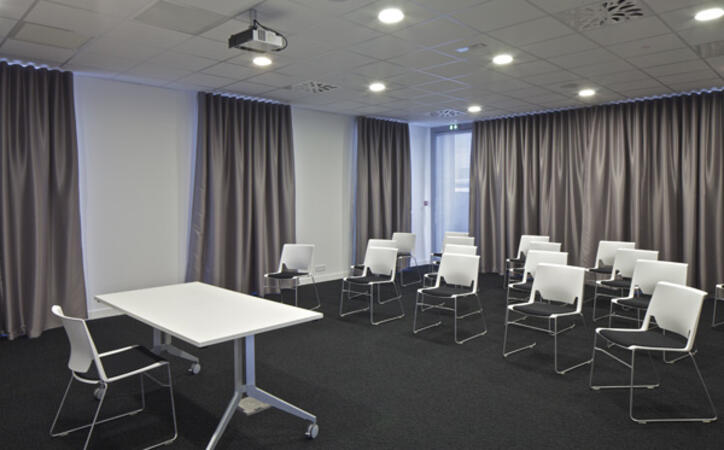
You can choose between "online live training" or "onsite live training". Online live training, also referred to as "remote live training", takes place via an interactive remote desktop connection. Onsite live training is provided directly at your premises in Lille or within NobleProg’s corporate training facilities in Lille.
NobleProg -- Your Local Training Provider
Lille, Gare Flandres
NobleProg Lille, 21 Avenue le Corbusier, Lille, france, 59800
In front of Flandres TGV Train Station
From Lille train stations
From Lille-Flandres: the address is essentially right next to the station — about 1–3 minutes on foot.
From Lille-Europe: walk toward Lille-Flandres along Avenue Le Corbusier. It is roughly 5–10 minutes on foot.
So you don't need a bus or metro if you're arriving by train.
If you're coming by bus
The nearest bus stops to Avenue Le Corbusier include Lion d'Or and Jacquet. Several local lines serve the area, including 13, 86, L5 and L91.
This instructor-led training in Lille supports intermediate AI engineers in constructing and optimizing neural network models using the Huawei Ascend platform and CANN toolkit. Attendees will set up environments, build applications with MindSpore, and deploy to edge or cloud configurations.
This instructor-led live session in Lille delves into Huawei’s AI architecture, tracing the path from the CANN SDK to the MindSpore framework. It is tailored to assist beginner and intermediate professionals in understanding how these components work in tandem on Ascend hardware to streamline lifecycle management and deployment.
This instructor-led, live training in Lille (online or onsite) is aimed at beginner-level to intermediate-level developers who wish to use OpenACC to program heterogeneous devices and exploit their parallelism.
By the end of this training, participants will be able to:
Set up an OpenACC development environment.
Write and run a basic OpenACC program.
Annotate code with OpenACC directives and clauses.
This instructor-led training in Lille focuses on deploying and optimizing CV and NLP models using the CANN SDK for Ascend hardware. Participants will learn to convert models, integrate them into live pipelines, and improve inference performance for real-time detection and analysis.
This instructor-led, live training in Lille (online or onsite) is aimed at beginner-level to intermediate-level developers who wish to learn the basics of GPU programming and the main frameworks and tools for developing GPU applications.
By the end of this training, participants will be able to: Understand the difference between CPU and GPU computing and the benefits and challenges of GPU programming.
Choose the right framework and tool for their GPU application.
Create a basic GPU program that performs vector addition using one or more of the frameworks and tools.
Use the respective APIs, languages, and libraries to query device information, allocate and deallocate device memory, copy data between host and device, launch kernels, and synchronize threads.
Use the respective memory spaces, such as global, local, constant, and private, to optimize data transfers and memory accesses.
Use the respective execution models, such as work-items, work-groups, threads, blocks, and grids, to control the parallelism.
Debug and test GPU programs using tools such as CodeXL, CUDA-GDB, CUDA-MEMCHECK, and NVIDIA Nsight.
Optimize GPU programs using techniques such as coalescing, caching, prefetching, and profiling.
This live, instructor-led training in Lille empowers advanced developers to construct, deploy, and optimize custom AI operators. By mastering the integration of CANN TIK and Apache TVM, participants gain the ability to perform advanced scheduling and optimization on Huawei Ascend hardware, ensuring peak performance in real-world scenarios.
This instructor-led live training in Lille (available online or onsite) targets beginner to intermediate developers who want to explore different GPU programming frameworks and assess their features, performance, and compatibility.
After this training, participants will be able to:
Configure a development environment that includes the OpenCL SDK, CUDA Toolkit, ROCm Platform, compatible hardware, and Visual Studio Code.
Build a basic GPU program for vector addition using OpenCL, CUDA, and ROCm, and analyze the differences in syntax, structure, and execution.
Use the respective APIs to query device details, manage memory allocation/deallocation, transfer data between host and device, launch kernels, and synchronize threads.
Write device-side kernels using the native languages of each framework to manipulate data.
Utilize framework-specific built-in functions, variables, and libraries for common tasks.
Optimize data transfers and memory access by using specific memory spaces (global, local, constant, private).
Control parallelism by managing threads, blocks, and grids via specific execution models.
Debug and test GPU programs using tools like CodeXL, CUDA-GDB, CUDA-MEMCHECK, and NVIDIA Nsight.
Improve performance through optimization techniques such as coalescing, caching, prefetching, and profiling.
This instructor-led course on Lille provides an introduction to CloudMatrix for scalable AI inference. Participants will learn to deploy, optimize, and monitor models utilizing CANN and MindSpore. Practical exercises cover packaging, conversion, serving, and performance tuning for both real-time and batch workloads.
This live, instructor-led session in Lille delves into the fundamental principles and practical aspects of deploying AI models on Ascend edge devices via the CANN toolkit, enabling participants to develop essential skills in compiling, optimizing, and managing resource-constrained environments.
This instructor-led live training in Lille (online or onsite) is designed for beginner to intermediate developers who wish to install and use ROCm on Windows to program AMD GPUs and exploit their parallelism.
By the end of this training, participants will be able to:
Set up a development environment that includes ROCm Platform, a AMD GPU, and Visual Studio Code on Windows.
Create a basic ROCm program that performs vector addition on the GPU and retrieves the results from the GPU memory.
Use ROCm API to query device information, allocate and deallocate device memory, copy data between host and device, launch kernels, and synchronize threads.
Use HIP language to write kernels that execute on the GPU and manipulate data.
Use HIP built-in functions, variables, and libraries to perform common tasks and operations.
Use ROCm and HIP memory spaces, such as global, shared, constant, and local, to optimize data transfers and memory accesses.
Use ROCm and HIP execution models to control the threads, blocks, and grids that define the parallelism.
Debug and test ROCm and HIP programs using tools such as ROCm Debugger and ROCm Profiler.
Optimize ROCm and HIP programs using techniques such as coalescing, caching, prefetching, and profiling.
This instructor-led, live training in Lille (online or onsite) is aimed at beginner-level to intermediate-level developers who wish to use ROCm and HIP to program AMD GPUs and exploit their parallelism.
By the end of this training, participants will be able to:
Set up a development environment that includes ROCm Platform, a AMD GPU, and Visual Studio Code.
Create a basic ROCm program that performs vector addition on the GPU and retrieves the results from the GPU memory.
Use ROCm API to query device information, allocate and deallocate device memory, copy data between host and device, launch kernels, and synchronize threads.
Use HIP language to write kernels that execute on the GPU and manipulate data.
Use HIP built-in functions, variables, and libraries to perform common tasks and operations.
Use ROCm and HIP memory spaces, such as global, shared, constant, and local, to optimize data transfers and memory accesses.
Use ROCm and HIP execution models to control the threads, blocks, and grids that define the parallelism.
Debug and test ROCm and HIP programs using tools such as ROCm Debugger and ROCm Profiler.
Optimize ROCm and HIP programs using techniques such as coalescing, caching, prefetching, and profiling.
This live training in Lille provides an introduction to the CANN toolkit for AI framework developers. Participants will learn to configure environments, convert models, and deploy applications on Ascend hardware using MindSpore, TensorFlow, or PyTorch, covering the entire workflow from training to inference.
Enhance AI workloads on Ascend, Biren, and Cambricon through this hands-on training in Lille. Master model benchmarking, bottleneck identification, and the application of graph, kernel, and operator-level optimizations. Optimize deployment pipelines to boost throughput and latency across these premier platforms.
Boost neural network inference performance on Ascend AI processors through this advanced, instructor-led training in Lille. Dive into CANN's runtime architecture, utilizing the Graph Engine, TIK, and TVM to master profiling, custom operator development, and resolving memory bottlenecks.
Transition CUDA applications to Chinese GPU architectures such as Huawei Ascend and Biren in Lille. This instructor-led course assists advanced programmers in navigating code translation and performance optimization, featuring hands-on labs for porting CUDA codebases to new SDKs.
This instructor-led live training in Lille, available either online or onsite, is tailored for developers from beginner to intermediate levels who wish to program NVIDIA GPUs using CUDA and leverage their parallel capabilities.
By the end of this training, participants will be able to:
Establish a development environment equipped with the CUDA Toolkit, an NVIDIA GPU, and Visual Studio Code.
Construct a basic CUDA program that performs vector addition on the GPU and retrieves the outcomes from GPU memory.
Utilize the CUDA API to query device details, manage memory allocation and deallocation, copy data between host and device, launch kernels, and synchronize threads.
Write kernels using the CUDA C/C++ language that execute on the GPU and manipulate data.
Use CUDA built-in functions, variables, and libraries to carry out standard tasks and operations.
Optimize data transfer and memory access by utilizing CUDA memory spaces such as global, shared, constant, and local.
Control the parallelism structure by using the CUDA execution model to manage threads, blocks, and grids.
Debug and test CUDA programs employing tools like CUDA-GDB, CUDA-MEMCHECK, and NVIDIA Nsight.
Optimize CUDA program performance using techniques such as coalescing, caching, prefetching, and profiling.
This live training in Lille guides intermediate AI developers through deploying models on Ascend processors using the CANN toolkit. Learn to convert frameworks like PyTorch and TensorFlow, optimize performance, and debug issues for efficient edge and cloud inference scenarios.
This live training in Lille empowers developers with the expertise to program and optimize applications on Biren AI accelerators. Participants will explore the GPU architecture, configure the SDK, and translate CUDA code to Biren. The course emphasizes performance tuning and debugging methodologies.
This live, instructor-led program in Lille empowers developers to build and deploy AI models on Cambricon MLUs via BANGPy and Neuware. The curriculum covers environment configuration, model optimization, and integrating MLU acceleration into edge and data center solutions.
This instructor-led, live training in Lille (online or onsite) is designed for beginner-level system administrators and IT professionals who want to install, configure, manage, and troubleshoot CUDA environments.
By the end of this training, participants will be able to:
Comprehend the architecture, components, and capabilities of CUDA.
This instructor-led live training in Lille (delivered online or onsite) is designed for beginner to intermediate-level developers who intend to use OpenCL to program heterogeneous devices and leverage their parallelism.
By the end of this training, participants will be able to:
Set up a development environment that includes the OpenCL SDK, an OpenCL-compatible device, and Visual Studio Code.
Build a basic OpenCL program that executes vector addition on the device and retrieves the results from device memory.
Utilize the OpenCL API to query device information and create contexts, command queues, buffers, kernels, and events.
Use the OpenCL C language to write kernels that execute on the device and manipulate data.
Employ OpenCL built-in functions, extensions, and libraries to perform common tasks and operations.
Apply OpenCL host and device memory models to optimize data transfers and memory accesses.
Use the OpenCL execution model to control work-items, work-groups, and ND-ranges.
Debug and test OpenCL programs using tools such as CodeXL, Intel VTune, and NVIDIA Nsight.
Optimize OpenCL programs using techniques such as vectorization, loop unrolling, local memory, and profiling.
This instructor-led live training in Lille (online or onsite) targets C++ developers who want to use CUDA to accelerate applications, write high-performance GPU kernels, and leverage parallel algorithm libraries for scientific computing, data processing, and machine learning workloads.
This live, instructor-led training in Lille (online or onsite) is tailored for C/C++ developers who want to use CUDA to accelerate compute-intensive applications, such as data processing, scientific simulations, machine learning tasks, and image processing workflows.
This instructor-led, live training in Lille (online or onsite) is tailored for software developers, data analysts, and technical professionals who wish to use TensorFlow 2.x and Keras to build, train, and deploy deep learning models for computer vision, natural language processing, and multimodal applications.
This instructor-led, live training course in Lille covers how to program GPUs for parallel computing, how to use various platforms, how to work with the CUDA platform and its features, and how to perform various optimization techniques using CUDA. Some of the applications include deep learning, analytics, image processing and engineering applications.
Read more...
Last Updated:
Testimonials (1)
Trainers energy and humor.
Tadeusz Kaluba - Nokia Solutions and Networks Sp. z o.o.
Online Graphics Processing Unit (GPU) training in Lille, GPU training courses in Lille, Weekend GPU (Graphics Processing Unit) courses in Lille, Evening GPU (Graphics Processing Unit) training in Lille, GPU (Graphics Processing Unit) instructor-led in Lille, Graphics Processing Unit instructor-led in Lille, GPU (Graphics Processing Unit) private courses in Lille, Graphics Processing Unit boot camp in Lille, GPU (Graphics Processing Unit) coaching in Lille, GPU (Graphics Processing Unit) on-site in Lille, GPU (Graphics Processing Unit) trainer in Lille, GPU classes in Lille, Graphics Processing Unit instructor in Lille, Online GPU training in Lille, GPU (Graphics Processing Unit) one on one training in Lille, Evening Graphics Processing Unit courses in Lille, Weekend GPU (Graphics Processing Unit) training in Lille