Delivered either online or on-site, these instructor-led live training courses for Microsoft Project use hands-on practice to demonstrate how to manage projects efficiently.
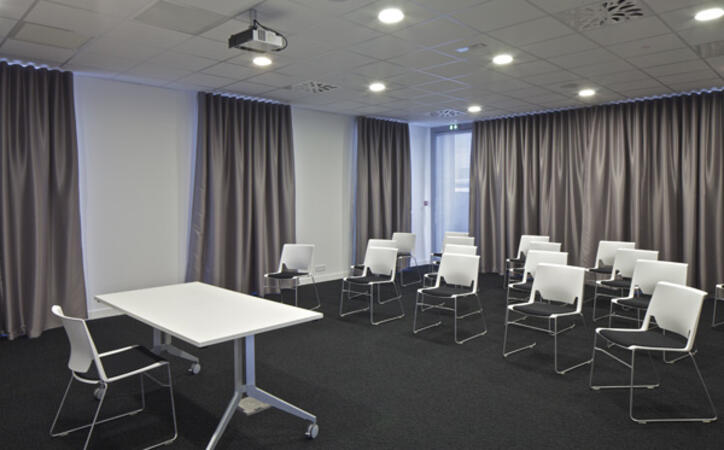
Microsoft Project training is offered as "online live training" or "onsite live training". Online live training (also referred to as "remote live training") is conducted via an interactive remote desktop. Onsite live training can take place at customer premises in Lille or at NobleProg corporate training centers in Lille.
NobleProg -- Your Local Training Provider
Lille, Gare Flandres
NobleProg Lille, 21 Avenue le Corbusier, Lille, france, 59800
In front of Flandres TGV Train Station
From Lille train stations
From Lille-Flandres: the address is essentially right next to the station — about 1–3 minutes on foot.
From Lille-Europe: walk toward Lille-Flandres along Avenue Le Corbusier. It is roughly 5–10 minutes on foot.
So you don't need a bus or metro if you're arriving by train.
If you're coming by bus
The nearest bus stops to Avenue Le Corbusier include Lion d'Or and Jacquet. Several local lines serve the area, including 13, 86, L5 and L91.
This intermediate-level Microsoft Project Online training in Lille empowers project professionals to excel in cloud-based management. Participants will gain the skills to configure WBS structures, control resources and expenses, and leverage insightful reports for effective progress tracking.
This instructor-led, live training in Lille (online or onsite) is aimed at beginner-level to intermediate-level project managers, business analysts, and team leads who wish to leverage Microsoft Project Pro for task scheduling, resource allocation, and progress tracking.
By the end of this training, participants will be able to:
Create and manage project plans using Microsoft Project Pro.
Schedule tasks, allocate resources, and manage dependencies.
Track project progress, costs, and risks effectively.
Generate reports and share project data with stakeholders.
In the competitive landscape of project management, success often depends on mastering the right tools. Without a centralized, dynamic scheduling solution, organizations face significant risks: missed deadlines, hidden resource bottlenecks, and budget overruns that shrink profit margins. Relying on static spreadsheets or disconnected tools creates a "blind spot," allowing critical path delays to go unnoticed until recovery is impossible.
Microsoft Project is the industry standard for a reason—it empowers managers to deliver projects on time and within budget. However, owning the software is insufficient; fully leveraging its power requires practical expertise.
Read more...
Last Updated:
Testimonials (3)
I gained a better understanding of how to create and manage project schedules using Microsoft Project, including task dependencies, milestones, and baselines. I also learned practical techniques for resource allocation, progress tracking, reporting, and Critical Path Method (CPM) analysis to improve project planning and monitoring.
Vincent Raygie Maneja - Infinitecare Technology Solutions Inc.
Course - Microsoft Project Pro: Effective Project Planning and Management
Pemahaman terhadap konsep dari schedule dan cost planning
R. Galih Gumilar Thessa - Ciputra Group
Course - Mastering Project Management with Microsoft Project
Online MS Project training in Lille, Microsoft Project training courses in Lille, Weekend Microsoft Project courses in Lille, Evening Microsoft Project training in Lille, MS Project instructor-led in Lille, Project instructor-led in Lille, Weekend Project training in Lille, Project coaching in Lille, Microsoft Project trainer in Lille, MS Project on-site in Lille, MS Project boot camp in Lille, Online Microsoft Project training in Lille, Microsoft Project private courses in Lille, Microsoft Project classes in Lille, MS Project one on one training in Lille, Project instructor in Lille, Evening Microsoft Project courses in Lille